By the Dimpal Sharma· Published · Updated · 12 min read
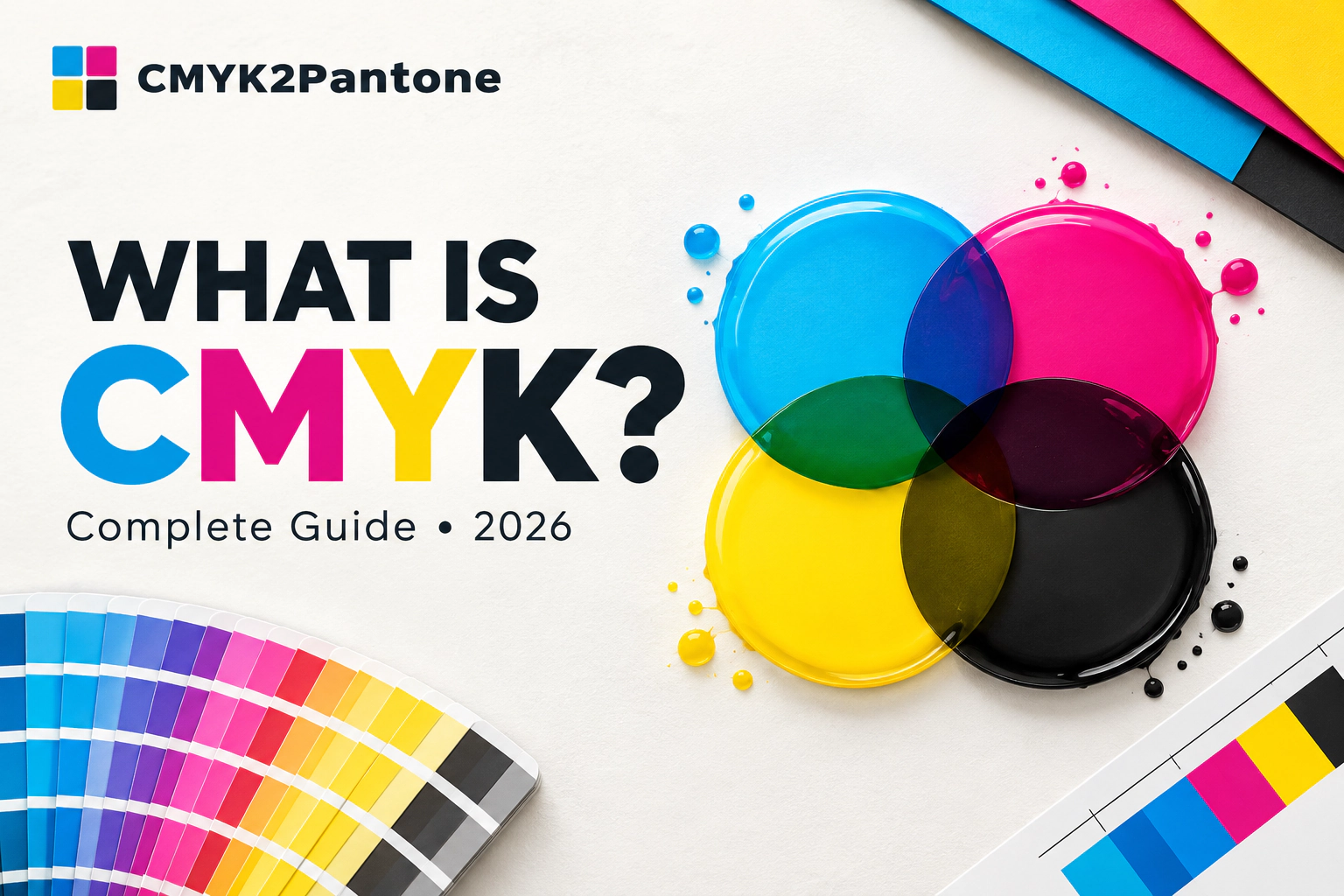
Quick answer: CMYK stands for cyan, magenta, yellow and key (black). It is the colour model behind most commercial printing, where four inks are layered in percentages from 0 to 100 to build full-colour images on paper. The "K" means "key plate", the plate that carries the detail the other three colours line up against.
Most CMYK guides read like a glossary with a nice header. This one has opinions. I think CMYK is the most useful colour model most people only half understand, and that half-understanding is the reason so many printed projects come back looking "off". So here is the full picture, what I would tell a friend before they send a file to the printer, and the places where I think the usual advice is wrong or at least overcooked.
What is CMYK, really?
CMYK is a colour model, a recipe system for describing colour. In CMYK, every colour is described by how much of four inks you use: Cyan, Magenta, Yellow and blacK. Each ink runs from 0% (none) to 100% (solid). A bright red, for example, is roughly 0% cyan, 100% magenta, 100% yellow and 0% black. You can check that kind of recipe yourself in our CMYK colour chart or browse ready-made values in the CMYK colour codes library.
It is also called process colour or four-colour process, because the colour is built up by the printing process itself rather than poured from a pre-mixed tin. That one distinction matters later, when we get to Pantone.
Why is black called K and not B?
This is the question everyone asks, and the answer is more interesting than "because B means blue in RGB". In traditional four-colour printing, the black plate was the key plate. It carried the fine detail and outlines, and the cyan, magenta and yellow plates were aligned (the trade word is registered) against it. So K is short for key. Several printing and reference sources give this same explanation, and I find it the most convincing one.
My honest take: the "B could be confused with blue" story is a tidy myth that sounds right. The key-plate story matches how presses actually worked, and it explains why black is treated as the structural ink, not just another colour.
How CMYK works: ink that takes light away
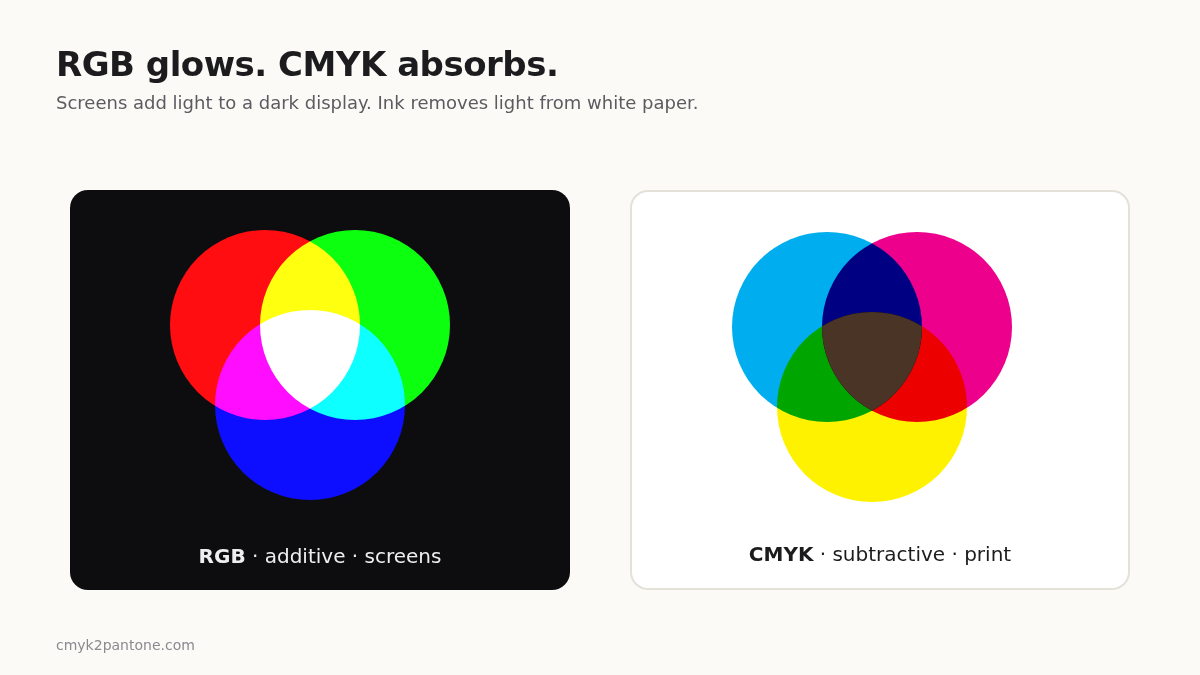
CMYK is a subtractive model. Paper starts white and reflects light. Every layer of ink absorbs part of that light before it bounces back to your eye. More ink, more absorbed light, darker result. Mix cyan and magenta and you get a blue-violet. Mix magenta and yellow and you get red. Cyan and yellow give green.
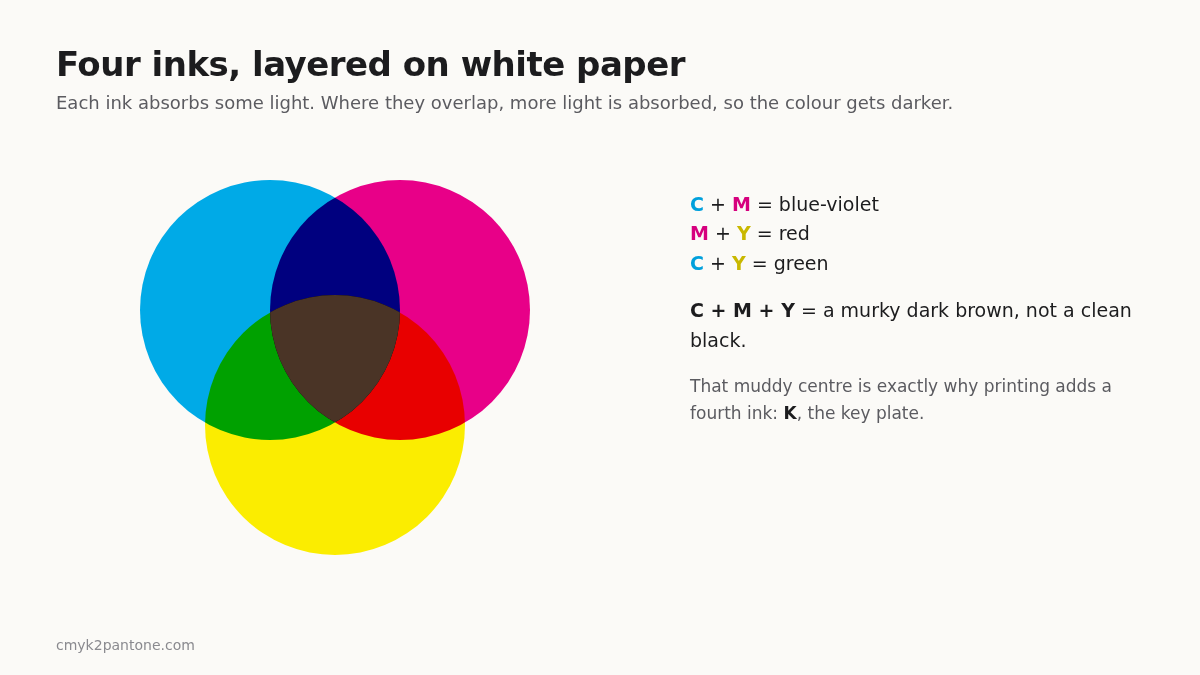
Notice the centre of that diagram. In theory, all three inks together should absorb everything and give black. In practice real inks are imperfect and you get a dull, brownish dark tone. That is the whole reason a fourth ink exists. Adding black gives you cleaner darks, sharper text, and it reduces how much coloured ink you need to lay down, which saves money and helps the paper dry. Wikipedia's CMYK entry lists these same practical reasons, and they line up with what printers tell you.
Halftone dots: why print looks smooth when it is not
A press cannot print "30% cyan" as a thinner, paler ink. It prints solid cyan, but as tiny dots, spaced so that 30% of the area is covered. At normal reading distance your eye blends the dots and white paper into a lighter shade. That is called halftoning.
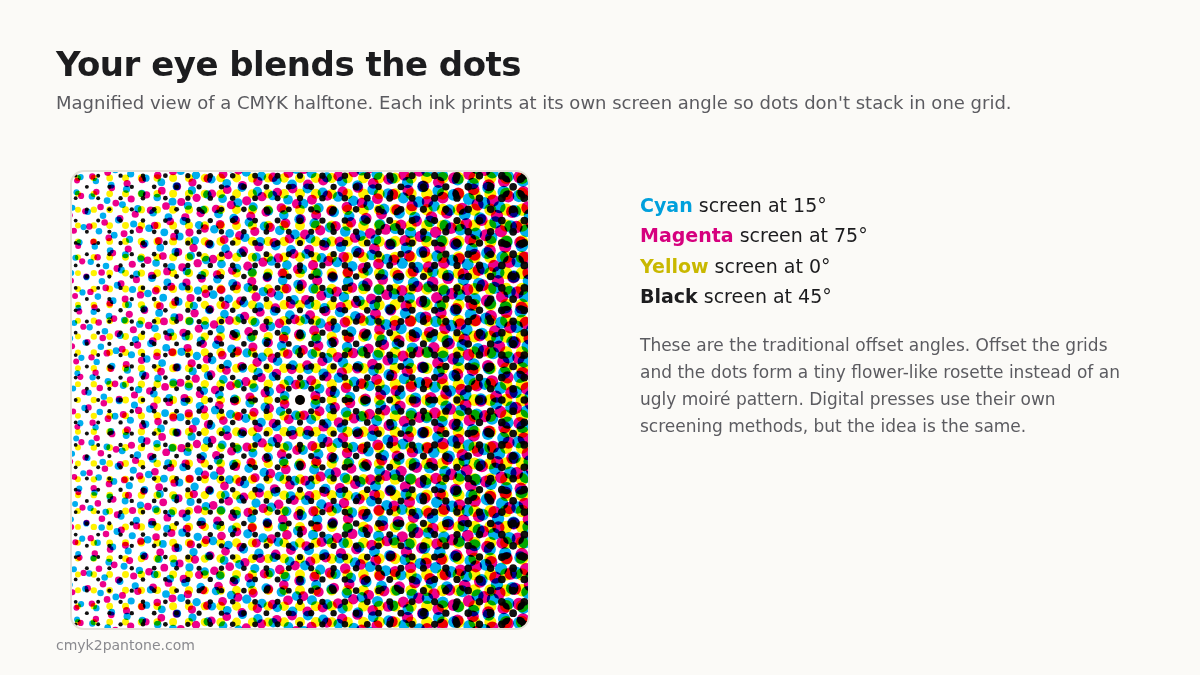
Each ink is printed with its dot grid rotated to a different angle so the patterns do not clash. When they are set well, the dots form a small rosette pattern that looks smooth. When they are set badly you get moiré, that ugly ripple you sometimes see on a printed photo. Modern digital presses use their own screening methods, so you will not always see these exact angles, but the principle holds: print is optical illusion with ink.
RGB vs CMYK: stop treating one as "wrong"
Screens are additive. They start dark and add red, green and blue light. Print is subtractive. These are opposite systems, and each can show colours the other cannot.
Here is where I disagree with a lot of beginner advice. People say "always design in CMYK for print". I think that is too blunt. If your final output is a photo-heavy brochure, sure, work towards CMYK and soft-proof early. But if you are designing something that lives mostly on screen and may get printed later, designing in RGB first and converting carefully is perfectly reasonable. The real mistake is converting at the last minute and being shocked. Convert early, look at the result, adjust.
The biggest disappointment is almost always vivid, glowing colours: electric blues, neon greens, bright oranges. A monitor emits light, and the inks on paper simply cannot match that. This is a physical limit of the gamut (the range of colours a system can reproduce), not a bug in your file. If you need to move values between the two worlds, our RGB to CMYK and CMYK to RGB converters give you a quick approximation, and our deeper article on RGB vs CMYK covers the differences further. For web work, CMYK to HEX and HEX to CMYK are the shortcuts I would reach for.
Rich black: the place I have the strongest opinion
Pure black in CMYK is simply K at 100% with the other three at zero. On a big solid area, that can look a little flat and washed out, especially on coated paper. So designers use rich black: 100% K plus some cyan, magenta and yellow underneath for depth. A commonly used starting recipe is C60 M40 Y40 K100, though the right numbers depend on the press and paper, so ask your printer.
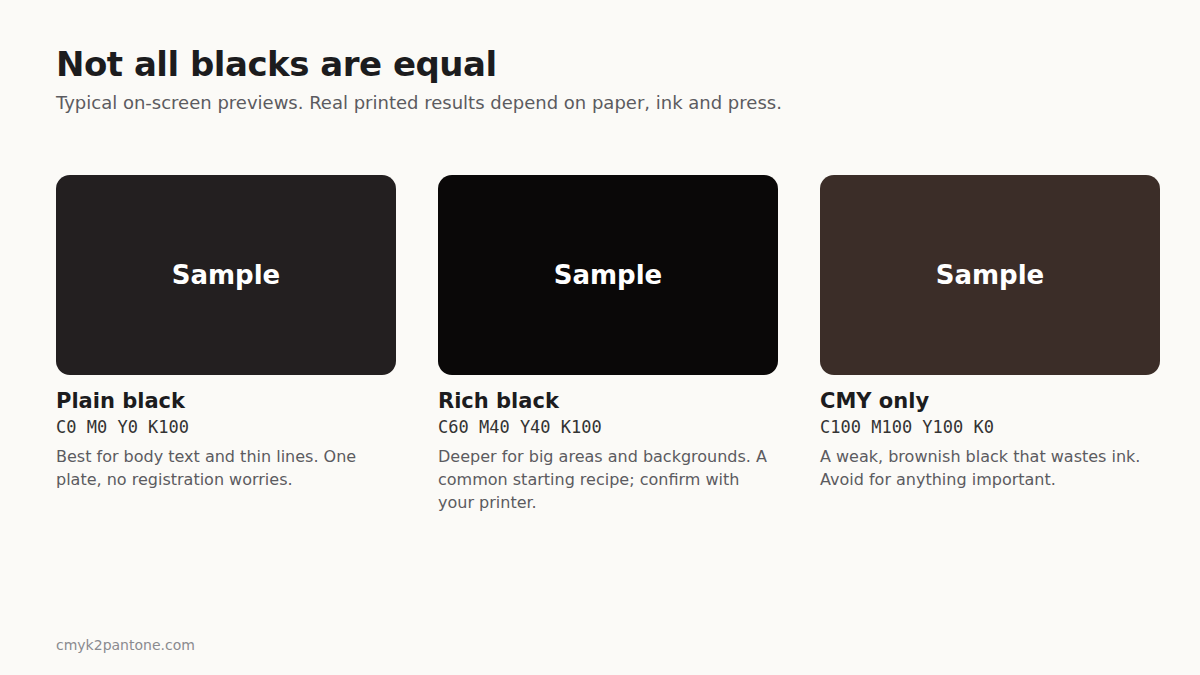
My opinion, and I will stand by it: never use rich black for small text. Four plates have to line up perfectly for thin letters, and on a real press they sometimes drift by a hair. The result is fuzzy, coloured edges on tiny type. Body text and thin lines should be plain K100. Save rich black for big blocks, backgrounds and large headlines. Plenty of designers get this backwards because "richer sounds better".
The other black to avoid is the lazy one: 100% of cyan, magenta and yellow with no K. It looks brownish, wastes ink and can overload the paper.
Reading CMYK values and total ink
A CMYK value is written in order: C / M / Y / K. So 0 / 100 / 100 / 0 means no cyan, full magenta, full yellow, no black. That combination lands close to a vivid red (roughly #ED1C24 on screen). The same logic applies to every colour in the CMYK colour codes list.
Also worth knowing is total ink coverage (sometimes TIC or TAC): the sum of the four percentages at one spot. A mix of 40% cyan, 50% magenta and 30% yellow is 120% coverage. Every press and paper has a ceiling, commonly somewhere around 300% for standard coated stock, and lower for thin or uncoated paper. Go over the limit and you risk smudging, slow drying and warped sheets. This is one more reason your printer's colour profile matters more than any generic rule I can give you.
CMYK vs Pantone: it is not a fight
CMYK builds colour from four inks in tiny dots. Pantone is a numbered library of reference colours, many of which are printed as dedicated pre-mixed spot inks. If you want the full breakdown, I would send you to our guide on CMYK vs Pantone, or to the explainer on what Pantone colour actually is.
| Question | CMYK | Pantone |
|---|---|---|
| How is colour made? | Four process inks in dots | Numbered reference, often a pre-mixed ink |
| Best for | Photos, brochures, magazines | Logos, brand colours, packaging |
| Consistency | Can vary between presses and paper | Designed to match a reference |
| Cost | Usually lower for full-colour work | Often higher (extra ink or plate) |
My rule of thumb: if the colour is the brand, use Pantone. If the colour is just part of a picture, CMYK is fine. A logo in one solid colour printed on packaging, signage and stationery deserves a defined Pantone reference. A photo-heavy flyer does not. And if you want a cheaper job, keep a CMYK version of your brand colours in the guidelines too. Many brands keep both, which I think is the sensible approach. For more on picking colours that behave on paper, see how to choose colours for print design.
Pantone® is a registered trademark of Pantone LLC. CMYK2Pantone is independent and not affiliated with or endorsed by Pantone LLC.
Using the free CMYK to Pantone converter
Since this is the question I get asked most, here is how to turn a CMYK mix into a Pantone reference with the CMYK to Pantone converter. It is free, needs no sign-up and runs in your browser.
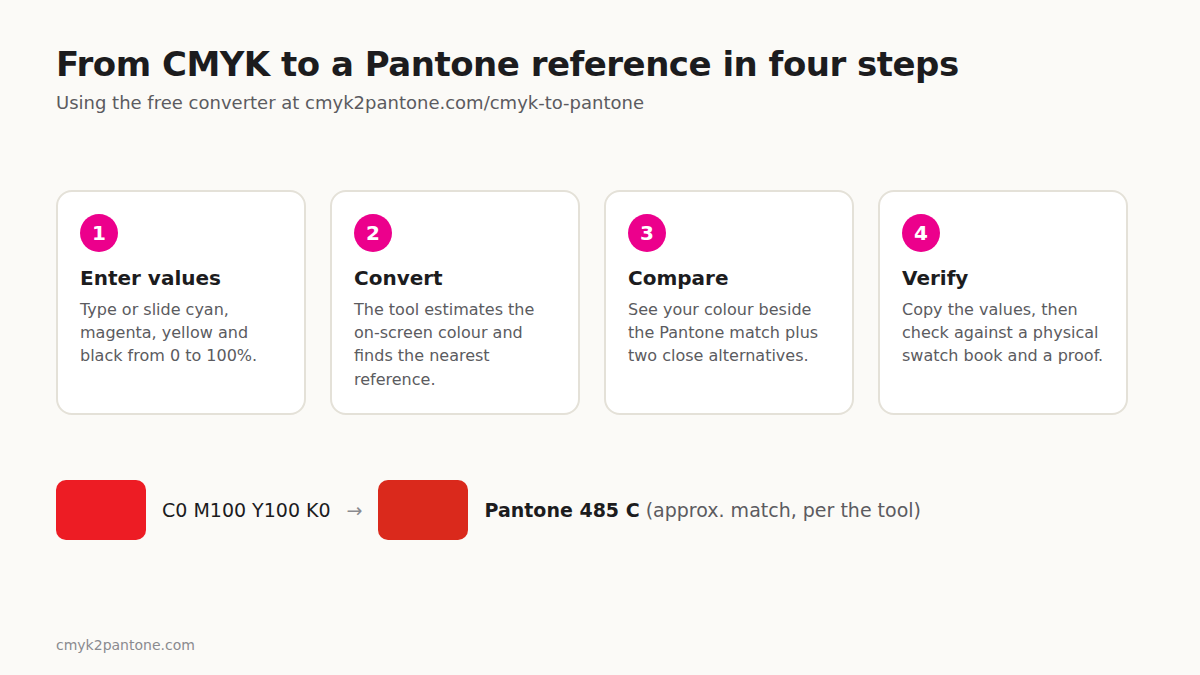
- Enter your CMYK values. Type a percentage from 0 to 100 for each ink, or move the sliders. You can also tap a sample colour to start.
- Click "Convert to Pantone". Results also update as you type.
- Compare the swatches. Your colour appears side by side with the closest Pantone reference, plus two more close alternatives.
- Copy the values. One click copies the Pantone name with its CMYK, RGB and HEX values.
A few examples from the tool's current reference set, so you can see the type of result to expect:
| CMYK (C / M / Y / K) | Closest Pantone in the tool |
|---|---|
| 100 / 0 / 0 / 0 | Pantone 2995 C |
| 0 / 100 / 100 / 0 | Pantone 485 C |
| 100 / 0 / 100 / 0 | Pantone 354 C |
| 0 / 50 / 100 / 0 | Pantone 144 C |
| 100 / 70 / 0 / 10 | Pantone 300 C |
Be honest about what a converter can do. No exact formula links CMYK and Pantone, so every converter, ours included, gives you the nearest reference, not an identical colour. The tool compares your colour with a limited, growing selection of Pantone Coated references, so a closer match may exist that is not in the list yet. Treat the result as a strong starting point, then confirm it against a current physical swatch book and ask for a printed proof.
Try the CMYK to Pantone converter → · Going the other way? Pantone to CMYK · Hunting for a colour name? Pantone colour finder · Browse the Pantone colour chart
If you want a step-by-step walkthrough with checking tips, our guide on how to convert CMYK to Pantone goes further.
Mistakes I see again and again
- Judging colour on a phone screen. Brightness and display settings change everything. A printed proof beats any preview.
- Converting RGB to CMYK at the last second. Do it early so any dull colours do not surprise you on deadline day.
- Rich black on tiny text. Covered above. Plain K100 for small type.
- Ignoring paper. The same ink looks brighter on coated stock and softer on uncoated. Pantone even splits references into coated (C) and uncoated (U) versions for this reason.
- Trusting any converter as final proof. This includes mine. Use it to get close, then verify.
- Not talking to the printer. A five-minute chat about their press and profile saves a reprint.
So, is CMYK still worth learning in 2026?
Yes, and I would say more than ever. Screens dominate how we work, which means more people design for print without ever being taught how ink behaves. Understanding four inks, one key plate and a few physical limits puts you ahead of most people sending files off. Learn the model, respect its limits, proof your work, and you will avoid the "why does it look different?" email that every designer dreads.
Frequently asked questions
What does CMYK stand for?
Cyan, magenta, yellow and key. Key refers to the black key plate used in four-colour printing.
Is CMYK better than RGB?
Neither is better. RGB is for light-emitting screens, CMYK is for ink on paper. Pick the one that matches where your design will be seen.
Why does my CMYK colour look duller than on screen?
Screens emit light and can show very bright colours. CMYK inks absorb light and cover a smaller range, so some vivid screen colours cannot be printed exactly.
What is rich black in CMYK?
Black ink combined with some cyan, magenta and yellow for a deeper look on large areas. A common starting point is C60 M40 Y40 K100, but confirm with your printer.
Can I convert CMYK to Pantone?
Only approximately. A converter finds the nearest Pantone reference, which you should verify with a physical swatch book. Try the free CMYK to Pantone converter.
Should I design in CMYK or RGB?
Design in the mode of your final output, or convert early and check. For print, think CMYK. For web and apps, use RGB or HEX.
Sources and further reading
- Wikipedia, "CMYK color model": overview of the subtractive model and why black ink is used.
- Printing industry explainers on the key plate and total ink coverage (e.g. Jukebox Print, 4OVER4).
- CMYK2Pantone: What Is CMYK? A Beginner's Guide for a shorter, plain-English version of this topic.